Analysis of the GitLab Ciphercube
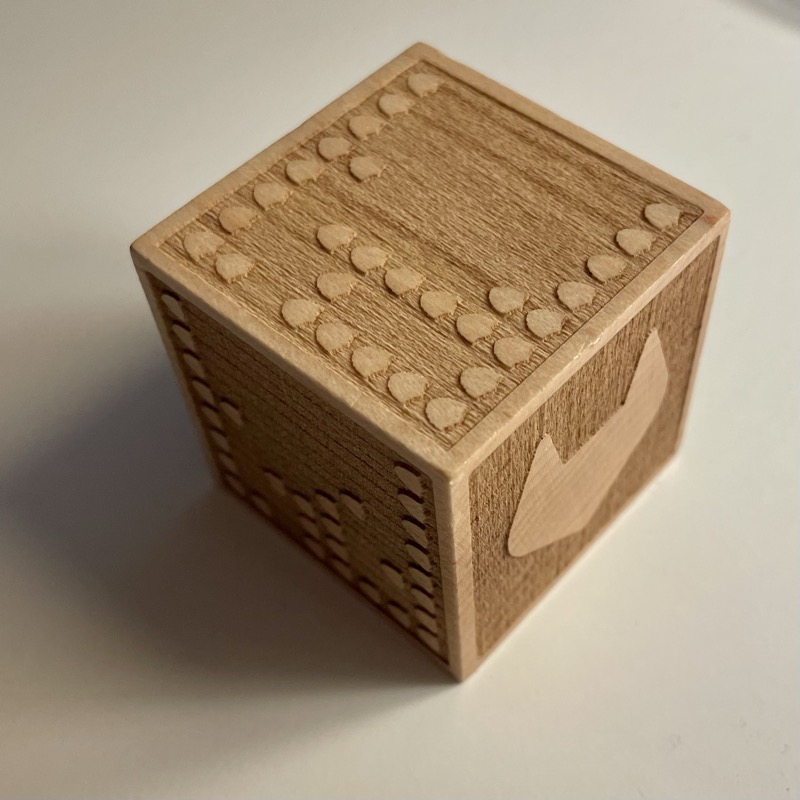
Shortly after I joined GitLab in Sep 2022, GitLab’s security team opened up a Swag initiative for a “laser-engraved cube made from sustainably sourced wood with a message on each side”.
Up for such an offer and challenge, I subscribed and received on the 7th Dec 2022 a small wooden cube.
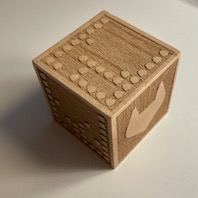
In my lunch break today, 8th Dec 2022, I started to decipher the cube.
On first glance 1 side showed the GitLab Tanuki and 5 sides had small shields standing out of the engraving in patterns.
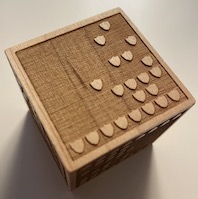
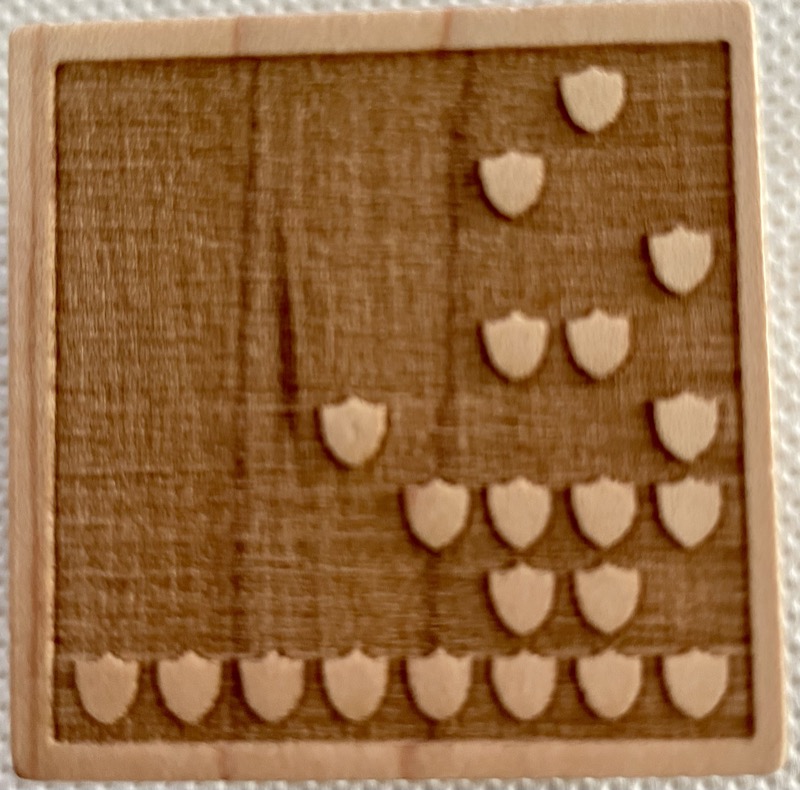
I inspected those that the shields were structured on each of the five sides in an 8x8 grid, with the shield giving a clear orientation where the bottom of the grid should be. 8x8 on a side, so one byte per row, 8 byte per side.
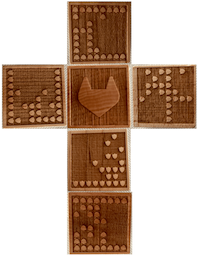
Next I translated the patterns into binary for all the sides as well as into decimal side, leaving us with 8 binary/decimal numbers per side.
| Dice side | Row | Binary | Decimal |
|---|---|---|---|
| Up | 1 | 11111111 | 255 |
| Up | 2 | 00001101 | 13 |
| Up | 3 | 00000101 | 5 |
| Up | 4 | 00000101 | 5 |
| Up | 5 | 00000111 | 7 |
| Up | 6 | 00000100 | 4 |
| Up | 7 | 00010001 | 17 |
| Up | 8 | 11111111 | 255 |
| - | - | - | - |
| left | 1 | 11111111 | 255 |
| left | 2 | 00000101 | 5 |
| left | 3 | 00010001 | 17 |
| left | 4 | 00001111 | 15 |
| left | 5 | 00000111 | 7 |
| left | 6 | 00000100 | 4 |
| left | 7 | 00010001 | 17 |
| left | 8 | 11111111 | 255 |
| - | - | - | - |
| down | 1 | 11111111 | 255 |
| down | 2 | 00010011 | 19 |
| down | 3 | 00010101 | 21 |
| down | 4 | 00000110 | 6 |
| down | 5 | 00011000 | 24 |
| down | 6 | 00001101 | 13 |
| down | 7 | 00001110 | 14 |
| down | 8 | 11111111 | 255 |
| - | - | - | - |
| bottom | 1 | 00000010 | 2 |
| bottom | 2 | 00000100 | 4 |
| bottom | 3 | 00000001 | 1 |
| bottom | 4 | 00000110 | 6 |
| bottom | 5 | 00010001 | 17 |
| bottom | 6 | 00001111 | 15 |
| bottom | 7 | 00000110 | 6 |
| bottom | 8 | 11111111 | 255 |
| - | - | - | - |
| right | 1 | ||
| right | 2 | ||
| right | 3 | ||
| right | 4 | ||
| right | 5 | ||
| right | 6 | ||
| right | 7 | ||
| right | 8 |
Note: The “Down” and “Bottom” data above was decoded from close-up photos using image analysis. The side names are tentative, I’ll correct them once I re-examine the physical cube. The “Right” side remains unread from the available photos.
The cipher
The raw decimal values looked odd at first. No printable ASCII characters. But looking at the first two sides together, the pattern clicked.
Each byte encodes a letter position (A=0, B=1, … Z=25), shifted by 13, ROT13. The decoding formula: take the byte value, add 13, modulo 26, map to a letter.
Byte 13 → (13+13) % 26 = 0 → A
Byte 5 → (5+13) % 26 = 18 → S
Applied to the Up side (inner rows): 13, 5, 5, 7, 4, 17 → A-S-S-U-R-E
Left side: 5, 17, 15, 7, 4, 17 → S-E-C-U-R-E
The border rows (all shields, value 255) also decode: (255+13) % 26 = 8 → I. The full row of shields that frames each side doubles as the word “I” in the message.
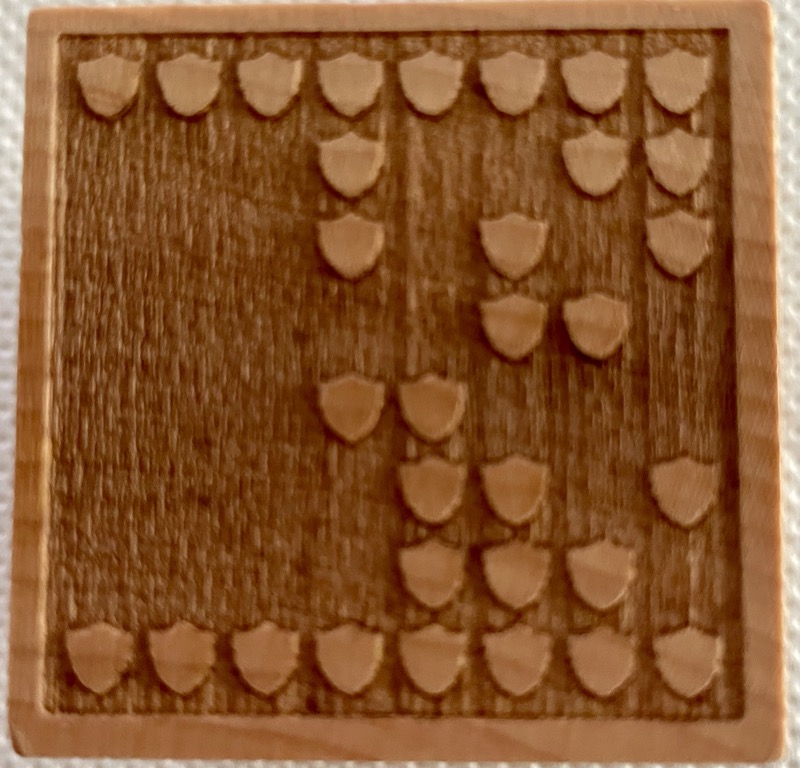
Applying the same decode to the remaining sides:
| Side | Bytes (inner rows) | Decoded |
|---|---|---|
| Up | 13, 5, 5, 7, 4, 17 | ASSURE |
| Left | 5, 17, 15, 7, 4, 17 | SECURE |
| Down | 19, 21, 6, 24, 13, 14 | GITLAB |
| Bottom | 2, 4, 1, 6, 17, 15, 6 | PROTECT |
| Right | ? | unread |
The “Bottom” side is special: it has 7 data rows instead of 6, with only one border row at the bottom. Row 1 starts directly with P (byte 2), no leading “I” border.
The message
Reading the full 8-byte sequence per side, borders included:
I ASSURE I · I SECURE I · PROTECT I · I GITLAB I · I ??? I
The border rows encode “I”, making each side read as a pledge: “I ASSURE”, “I SECURE”, “I PROTECT”, “I GITLAB” (as in “I am GitLab” or “I represent GitLab”).
One side’s word is still missing. Given the security theme, candidates like DEFEND, DETECT, or SHIELD would fit. The encoding for each:
- DEFEND → bytes: 16, 17, 18, 17, 0, 16
- DETECT → bytes: 16, 17, 6, 17, 15, 6
- SHIELD → bytes: 5, 20, 21, 17, 24, 16
I’ll need the physical cube in hand to read that last side and complete the message.
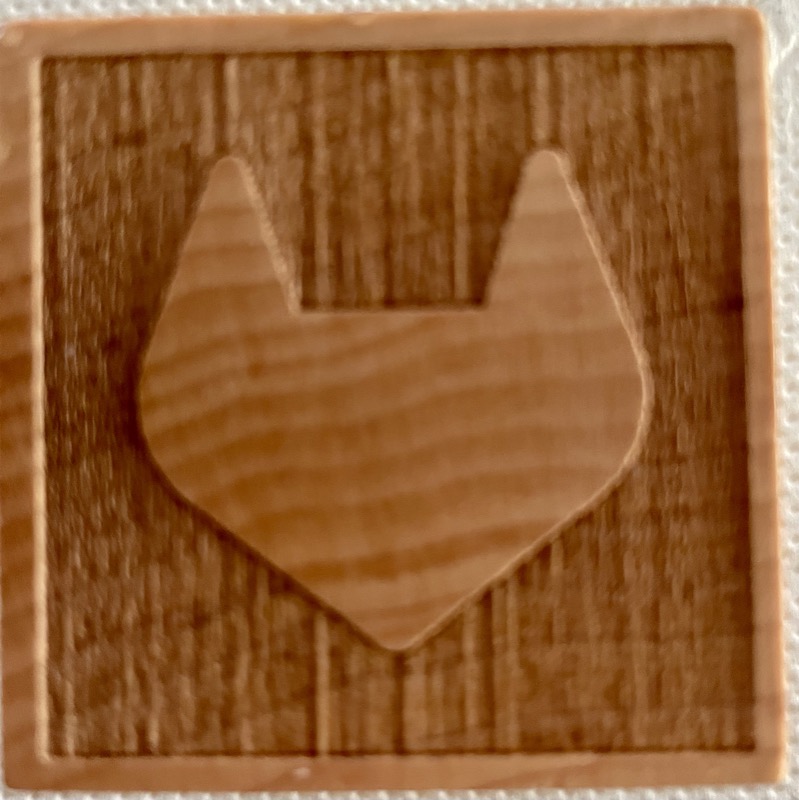
The sixth face carries the GitLab Tanuki, no cipher. Just the logo, watching over the pledge engraved into the other five sides.